Give phone-shot listing photos a cleaner, more consistent look.
Upload, choose a correction mode, and download. No editing skills required. Paid subscriptions include unlimited processing with no per-photo credits.
Card required to start. You're charged immediately — cancel anytime.
Just checking dimensions? Use the free checker — your image stays in your browser, and no signup is needed.
Original
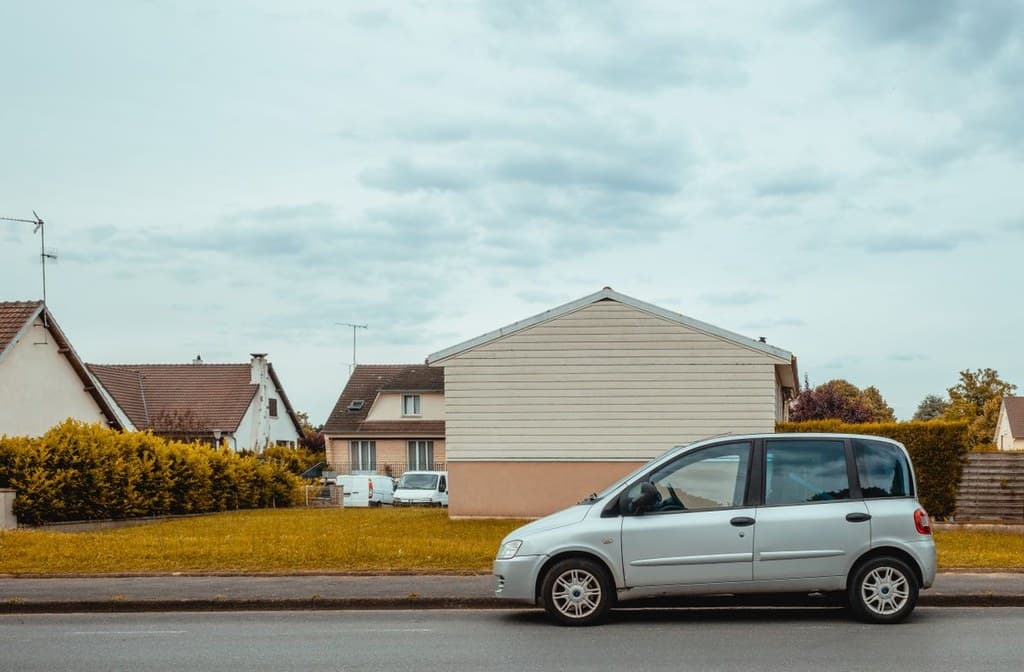
Enhanced

Generative edits can change image details. Review the result against the original before publishing.
How it works
Upload
Drop in a phone photo — any listing room, exterior, or amenity shot.
Choose a mode
Run Auto, Vivid, Twilight, or generative AI sky replacement, depending on the photo and result you want.
Download
Get a full-resolution, watermark-free image ready for your listing.
Choose your next step
What needs work on your listing photo?
Choose the job you need done. We'll show the current tool or guide, and what that option does to your photo.
Paid processing mode · active subscription required
Auto enhance: a balanced cleanup pass
Reduces noise, sharpens detail, normalizes white balance, and modestly adjusts brightness and saturation. It cannot recover detail that was never captured.
See AI sky replacement on an exterior photo
AI sky replacement changes an overcast sky in an exterior listing photo. Generative editing can also alter image details, so inspect the result against the original before publishing it.
Before
After
Example photo, not an actual customer submission.
Coming next for Pro & Agency plans
- One-click clutter & personal-item removal
- Virtual staging for empty rooms
Frequently asked
Do I need editing skills?
No. Upload a photo, we handle denoising, sharpening, upscaling, and color correction automatically. No sliders, no learning curve.
I just have a phone, not a DSLR — will this actually help?
Yes — that's exactly what it's built for. Most hosts and agents shoot listing photos on a phone. We fix the exact problems phone photos have: noise, softness, and bad indoor white balance.
Is there a free trial?
No — subscribing charges your card immediately and unlocks full access right away. There's no trial period to remember to cancel before.
Can I cancel anytime?
Yes. Manage or cancel anytime from your billing page — no phone calls required. You may be offered a discount to stay before cancellation completes, but it's a single optional click, not a required call or form.
What happens to my photos?
Photos are processed on request and not used to train models or shared with anyone. You control downloads.
From the blog
View all postsPlatform Guides
Can You Put a Logo or Watermark on MLS Listing Photos?
Most MLS boards treat any visible branding on a listing photo the same way, with one specific exception for virtual staging disclosure.
Editing Tutorials
What Does Photo Upscaling Actually Do? (And When It Can't Help)
Upscaling isn't magic detail-recovery — here's what it actually does, why it works better on some photos than others, and what to expect honestly.
Shooting Tips
How to Photograph a Bathroom Without Getting the Mirror in the Shot
Bathroom mirrors catch the photographer more often than hosts realize. Here's how to angle the shot so they don't.
Ready to make every listing look its best?
Unlimited processing, cancel anytime.
Subscribe now